This week, I was challenged to use a new type of technology to help keep me organized and to “Get Things Done!” We all have our organization systems. Some people use one for work and one for personal. Some people need an all in one system. I’m one of those people that uses multiple systems. I need all my “to-dos” in one area and all my appointments in another. I feel I’ve perfected (well, as much as I can) my appointment system, but the to-do system needed some work.
Previously, my “to-do” list was on sticky notes, notebook pages, and in my head. Nothing was synced together. Sticky notes covered my computer (both paper and digital ones). Notebooks contained lists of things to do because I didn’t have my computer or a sticky note when I thought of the items. Then, a list of “to-dos” in my head that sometimes rarely got done because, well, I forgot!
So, to tackle this “to-do” organization system problem, I looked at Google Keep. Google Keep works by creating virtual lists and sticky notes. The reason why it works best than the other digital sticky notes I was previously using is because it is all done through Google Drive so that they are accessible from any device. Also, the lists can be labeled and sorted by different categories. The notes can be hand written, or typed.
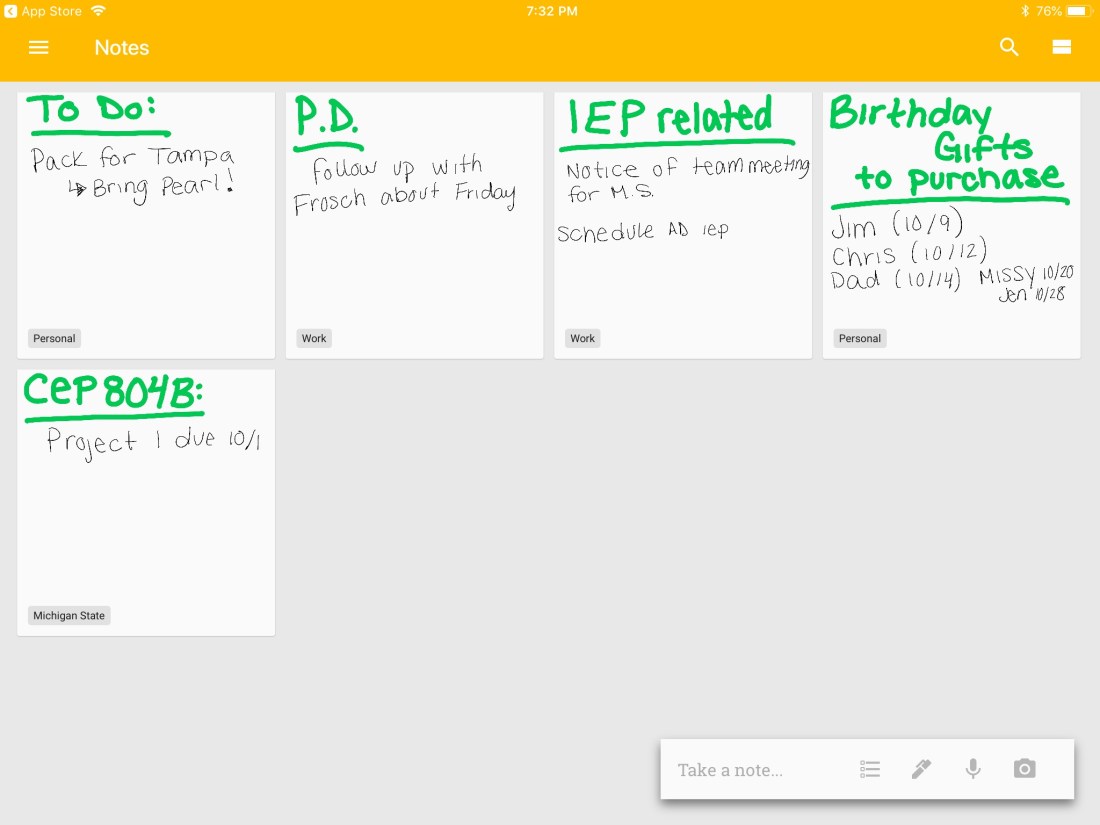
As you can see all my notes are hand written. I got an Apple Pencil through work today so, naturally, I had to play with my new toy! As you can see, in the bottom left hand corner each sticky note has a label. Using the three lines in the top left hand corner, I can choose to sort the notes by a specific label. If I clicked “Michigan State,” I would only see the sticky notes with the label “Michigan State.” I really like that everything is in one location and that I can access this from any device!
The only downfall is that I’m not entirely use how to edit my notes. I know with more practice using this new system, I will figure that out.
Anyways, this week I’ve really been able to “Get Things Done” because I have all my “to-dos” in one spot. I’ve noticed that I’m not constantly racking my brain for “where was I going to stop on my way home?” or “What else did I need to do tonight?” Google Keep is a keeper!

 Teach & Tech